








Icon of program: Pictricity

Pictricity for Windows

  • Trial version
  • 4.5
    1
  • 1.3K
  • V1.10
Download for Windows

View an ad to download for free

  • Pictricity

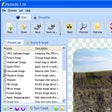
Pictricity is an application that automates common image tasks such as watermarking, resizing and optimization, as well as others. The real power of Pictricity is that it can save you hours of editing and converting your digital photos with just a few clicks of the mouse.

It works by letting you create a list of processes to apply to each image in a folder. Most of these processes can be further customized and refined to suit your needs. You can even view a preview image as you work, to better gauge how the final results will look.

Have a look at all the tasks you can perform with Pictricity:

  • Insert Antialiased/shadowed text with ability to display EXIF data on the image
  • JPEG Optimization: Compress the JPEG output so as to take up less disk space/bandwidth
  • Resizing: Optional aspect ratio preservation, 13 resize filters (Speed vs Quality), scaling
  • Watermarking: Insert an copyright or identifying visual tag into each of your images
  • Effects: Find edges, internal and external shadows, insert lens, wave and round corners
  • Greyscale & Sepia, Negative & Tint, Sharpen & Blur filters
  • Flip, mirror & rotate image around custom angle with antialiasing.
  • Steganography with Encryption: Hide files or text within your images using optional encryption
  • Adjust RGB levels, Brightness & Contrast, Hue, Saturation & Luminence
  • Auto-enhance tool for a quick optimization

 0/3

App specs

  • Developer

    • Pictricity
  • License

    Trial version

  • Version

    1.10

  • Latest update

  • Platform

    Windows

  • OS

    Windows XP

  • Language

    English

  • Downloads

    1.3K

    Last month's downloads

    • 3
  • Size

    2.25 MB

Program available in other languages


Icon of program: Pictricity

Pictricity for PC

  • Trial version
  • 4.5
    1
  • 1.3K
  • V1.10
Download for PC

View an ad to download for free


User reviews about Pictricity

Have you tried Pictricity? Be the first to leave your opinion!

Add review

You may also like

Alternatives to Pictricity

Explore Apps

Latest articles

Laws concerning the use of this software vary from country to country. We do not encourage or condone the use of this program if it is in violation of these laws.
Softonic

Is Pictricity safe?

98/100

Score result: Clean

This file passed a comprehensive security scan using VirusTotal technology. It is safe to download.

  • Virus free
  • Spyware free
  • Malware free
  • Verified by Security Partners

    VirusTotal logo

Scan Info

Last scan
Wednesday, December 13, 2023
Scan provider
VirusTotal · Full report

File Integrity

File
psetup.exe
SHA256
770a1c0d1c00e61e5e909ba954e6b7cb552bb9fb9e848cbef7788ebd1c4496c1
SHA1
6980ddb94bbf6765f33e87a9350ea52d2f7253af

Softonic security commitment

Pictricity has been thoroughly scanned by our advanced security systems and verified by industry-leading partners. This file comes from the official developer and has passed all our security checks, showing no signs of viruses, malware, or spyware. For more information, visit our Security and Trust Center

Signed in to Softonic as